





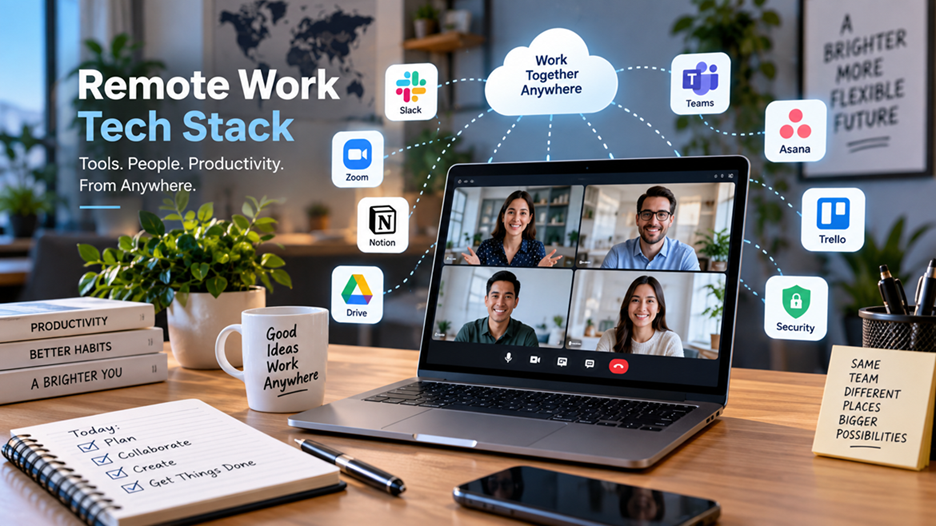
Remote work is no longer simply about having a laptop and a reliable internet connection. A well-designed remote work tech stack connects people, information, projects, workflows, and security systems so employees can work effectively regardless of location.
The strongest remote teams do not necessarily use the largest number of applications. Instead, they build a simple, integrated technology environment in which every tool has a clear purpose. Communication happens in the right channel, documents are easy to find, projects have visible ownership, and security controls operate in the background.
A practical remote work tech stack typically combines communication, collaboration, project management, cloud storage, security, productivity, and IT support tools.
What Is a Remote Work Tech Stack?
A remote work tech stack is the collection of hardware, software, cloud services, and security technologies an organization uses to support employees working outside a traditional office.
A typical stack may include:
- Communication: Slack, Microsoft Teams, Google Chat
- Video conferencing: Zoom, Microsoft Teams, Google Meet
- Project management: Astana, Trellis, Lira, ClickUp
- Cloud storage: Google Drive, OneDrive, Dropbox
- Documentation: Notion, Confluence, Google Workspace
- Security: Password managers, MFA, endpoint protection, VAN or Zero Trust solutions
- Productivity: Calendar, automation, time-management, and AI tools
- IT management: Device management, remote support, identity and access management
The important point is that these tools should work together rather than becoming isolated digital islands.
Why the Right Remote Work Tech Stack Matters
Remote employees lose many of the informal systems that exist naturally in an office. They cannot simply turn around and ask a colleague a question or walk over to a manager’s desk.
Technology therefore needs to replace that physical proximity with clear digital processes.
A strong stack helps organizations:
Improve communication
Employees can communicate asynchronously through messages, project comments, shared documents, and recorded updates rather than relying entirely on meetings.
Make work visible
Project management platforms make responsibilities, deadlines, priorities, and progress easier to understand.
Protect company information
Remote employees may connect from different networks and devices. Identity management, MFA, encryption, endpoint security, and appropriate access controls become especially important.
Reduce operational friction
When applications integrate properly, employees spend less time copying information between systems or searching for documents.
Support distributed teams
A thoughtfully designed stack can help teams collaborate across different locations and time zones without requiring everyone to be online simultaneously.


The Core Components of a Remote Work Tech Stack
1. Communication and Messaging
Communication is the foundation of remote work.
A company generally needs both asynchronous communication and real-time communication.
Asynchronous communication
This includes:
- Team messaging
- Project comments
- Shared documents
- Recorded video updates
- Internal knowledge bases
Asynchronous communication is particularly useful for distributed teams because employees don’t need to respond immediately.
Real-time communication
Video conferencing remains useful for:
- Team discussions
- Client meetings
- Interviews
- Brainstorming
- Performance conversations
- Complex problem-solving
The goal should not be to eliminate meetings. Instead, organizations should reserve synchronous communication for situations where real-time interaction genuinely adds value.
2. Project and Task Management
A remote team needs a centralized way to answer four basic questions:
- What needs to be done?
- Who owns it?
- When is it due?
- What is its current status?
Project management platforms such as Astana, Lira, Trellis, Monday.com, and ClickUp can provide this structure.
For example, a marketing team launching a campaign might organize its workflow as:
Brief → Content → Design → Review → Approval → Publication
Each stage can have an owner, deadline, checklist, and supporting documents.
This reduces the need for employees to repeatedly ask, “What’s the status?”
3. Cloud Storage and Document Collaboration
Cloud-based file storage is another essential component.
Instead of keeping important files on individual computers, organizations can use centralized platforms such as Google Drive, OneDrive, SharePoint, or Dropbox.
A good document system should provide:
- Controlled access
- Version history
- File sharing
- Search
- Collaboration
- Backup and recovery options
- Clear folder structures
Practical example
Imagine a remote sales team preparing a proposal. Rather than emailing multiple versions of a presentation between team members, everyone works from a controlled shared document.
The result is fewer duplicate files and less confusion about which version is current.
4. Knowledge Management
One of the biggest hidden challenges of remote work is institutional knowledge.
In an office, employees can sometimes obtain information through informal conversations. Remote teams need a deliberate system for documenting that knowledge.
A company knowledge base can contain:
- Standard operating procedures
- On boarding guides
- Product documentation
- FAQs
- Company policies
- Meeting notes
- Technical documentation
- Troubleshooting instructions
Tools such as Notion, Confluence, SharePoint, and internal wikis can serve this purpose.
A useful rule is simple:
If employees repeatedly ask the same question, the answer probably belongs in the knowledge base.
5. Security and Identity Management
Security cannot be treated as an optional layer of a remote work stack.
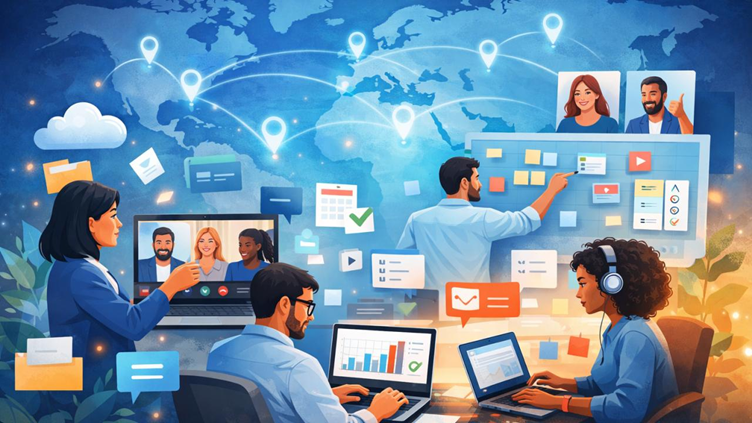
Remote employees may access corporate systems from homes, co working spaces, hotels, and other locations. Organizations therefore need to protect users, devices, applications, and data, rather than relying solely on a traditional office network.
Important controls include:
Multi-factor authentication
MFA adds another verification factor beyond a password and can significantly strengthen account protection.
Password management
Employees should avoid password reuse and should have access to an organization-approved password manager where appropriate.
Endpoint protection
Company computers should receive security updates, monitoring, and appropriate endpoint protection.
Identity and access management
Employees should receive only the access necessary for their roles. Access should also be removed or changed when responsibilities change.
Zero Trust principles
Modern remote environments increasingly use Zero Trust approaches that continuously evaluate identity, device security, and access requirements rather than assuming that a user is trustworthy simply because they are inside a corporate network.
Forbes Technology Council experts emphasize issues such as unapproved collaboration tools, inconsistent access paths, fragmented identity, and improper data handling as important considerations for distributed organizations.

6. Hardware for Remote Employees
Software is only part of the equation.
A practical remote workstation may include:
- Business laptop or desktop
- External monitor
- Keyboard and mouse
- Webcam
- Headset or microphone
- Reliable broadband connection
- Docking station
- Backup connectivity where appropriate
The ideal setup depends on the employee’s role.
For example, a graphic designer may benefit from a high-resolution monitor and powerful workstation, while a customer-support employee may prioritize a reliable headset, webcam, and dual-monitor setup.
7. Productivity and Automation Tools
Remote work can generate a large amount of repetitive digital work.
Automation can help with tasks such as:
- Moving information between applications
- Generating routine reports
- Scheduling notifications
- Creating tasks automatically
- Organizing customer information
- Sending reminders
AI tools can also assist with summation, drafting, research, and routine administrative work—but organizations should establish clear rules about what confidential information employees can submit to third-party AI services.
The objective should be less repetitive work, not more software.
Avoiding the “Too Many Tools” Problem
One of the most common mistakes companies make is assuming that adding another application will solve every workflow problem.
It often does the opposite.
A team might use:
- One application for messaging
- Another for meetings
- Three different task managers
- Multiple file-storage platforms
- Several AI tools
- Separate documentation systems
Employees then have to remember where information lives.
A better approach
Before purchasing another tool, ask:
Does this solve a genuine problem that our existing systems cannot solve?
If the answer is no, consolidation may be more valuable than expansion.
How to Build a Remote Work Tech Stack
Step 1: Map the Work
Start by identifying how employees actually work.
Document:
- Communication requirements
- Project workflows
- File-sharing requirements
- Customer interactions
- Security requirements
- Reporting needs
- IT support requirements
Step 2: Choose a Small Core
Instead of selecting dozens of applications, establish a core platform for each major function.
For example:
| Requirement | Example Technology |
| Communication | Microsoft Teams / Slack |
| Meetings | Zoom / Teams |
| Documents | Google Workspace / Microsoft 365 |
| Projects | Asana / Jira / ClickUp |
| Knowledge | Notion / Confluence |
| Security | MFA + endpoint protection |
| Passwords | Enterprise password manager |
| Cloud storage | OneDrive / Google Drive |
| Automation | Workflow automation platform |
These are examples rather than universal recommendations. The correct choices depend on the organization’s size, industry, budget, compliance requirements, and existing infrastructure.
Practical Example: A 20-Person Remote Company
Consider a small software company with employees across several cities.
Its technology environment might look like this:
Microsoft 365 → email, calendars, documents
Teams → communication and meetings
Lira → development projects
Confluence → technical knowledge
Cloud storage → controlled document access
Password manager + MFA → identity protection
Endpoint management → company devices
Automation platform → repetitive workflows
The important feature isn’t the individual products. It is the relationship between them.
An employee receives a task in Lira, accesses supporting documentation in Confluence, communicates through Teams, edits project files in the company’s cloud environment, and authenticates using the organization’s security controls.
That creates a connected workflow rather than a collection of unrelated applications.
Best Practices for Managing a Remote Tech Stack
Keep communication rules simple
Define which channel employees should use for urgent requests, routine questions, announcements, and project discussions.
Prefer asynchronous work where possible
Not every issue requires a meeting. Detailed written updates can often save time and create a useful record.
Review access regularly
Employees change roles, leave organizations, and join new projects. Access permissions should reflect those changes.
Integrate important applications
Where practical, connect project management, communication, calendars, documents, and automation tools.
Train employees
Even excellent technology can fail when users don’t understand how or when to use it.
Measure outcomes, not activity
A remote employee’s value should not be measured simply by online status or the number of messages they send. Focus on meaningful outputs, quality, deadlines, and business objectives.
What Will the Remote Work Tech Stack Look Like Next?
The direction of remote-work technology is increasingly toward integrated digital work-spaces, automation, AI assistance, identity-based security, and asynchronous collaboration.
However, technological sophistication should not become the goal itself.
The best stack is the one employees can understand and use consistently.
A company with ten well-integrated tools may operate more effectively than another organization with fifty disconnected applications.
Conclusion
A successful remote work tech stack is more than a list of popular software applications. It is a carefully designed digital operating environment that enables employees to communicate, collaborate, manage projects, access information, and work securely from different locations.
The most effective approach is to start with business requirements, select a manageable set of tools, integrate them where practical, and continuously remove unnecessary complexity.
Remote work technology should ultimately make work clearer, safer, and easier—not more complicated. When technology supports well-defined processes rather than replacing them, distributed teams can build productive and sustainable ways of working.


