

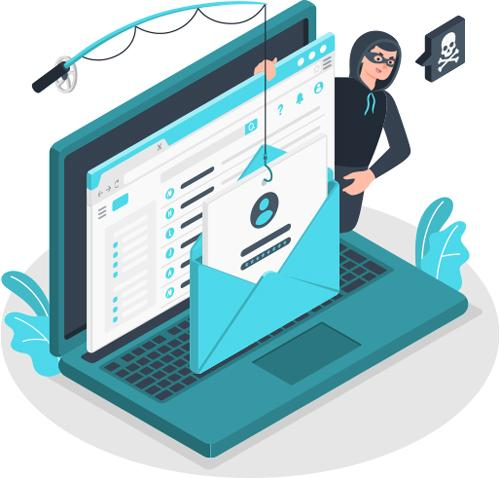
Phishing is one of the most common forms of online fraud. Instead of breaking into a system through sophisticated technical methods, attackers often try to trick people into giving them access—usually by impersonating a trusted person, company, bank, online service, or government organization.
A phishing attempt may arrive as an email, text message, phone call, social-media message, fake website, or even a QR code. The objective can be to steal passwords, financial information, identity details, verification codes, or access to online accounts. CISA describes phishing as a tactic that can use malicious links, attachments, or fake websites to obtain information or compromise devices.
What Is Phishing?
Phishing is a form of social engineering in which criminals create deceptive communications designed to persuade someone to take an action that benefits the attacker.
That action might be:
- Clicking a malicious link
- Opening an unexpected attachment
- Entering a username and password
- Sharing a credit-card or bank-account number
- Providing a one-time verification code
- Transferring money
- Installing supposedly legitimate software
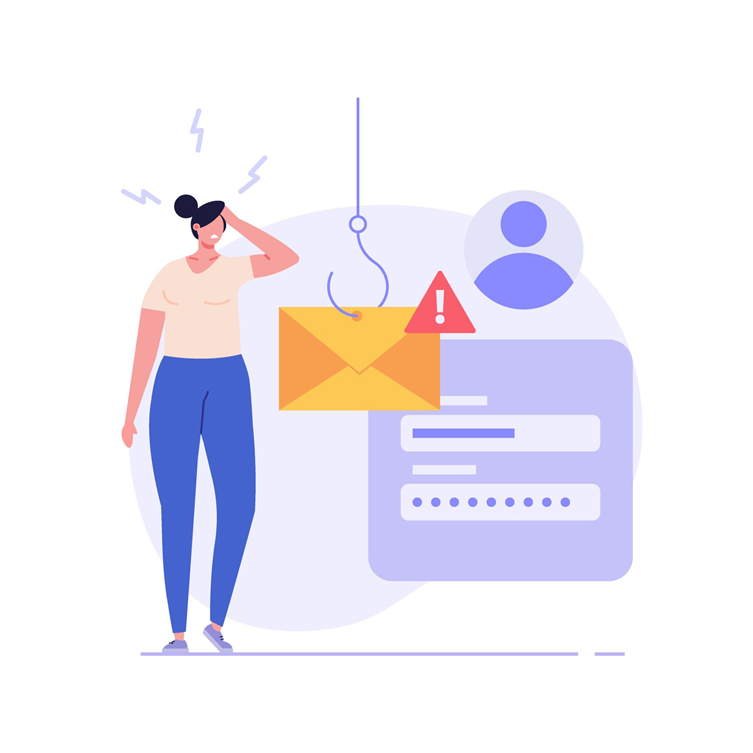
For example, you might receive an email claiming that your Microsoft, Google, banking, or shopping account has been locked. The message provides a link to “verify your account.” The link leads to a fraudulent login page that looks genuine. If you enter your credentials, the attacker receives them.
The important point is that phishing attacks exploit trust and urgency rather than relying solely on technical vulnerabilities.
Why Do Phishing Scams Work?
Successful phishing messages typically create one or more psychological triggers.
Urgency
“Your account will be permanently suspended today.”
The goal is to prevent you from taking time to verify the message.
Fear
“We detected suspicious activity on your bank account.”
Can make people react before thinking critically.
Curiosity
“See the confidential document attached.”
The attacker hopes curiosity will overcome caution.
Authority
A scammer may pretend to be your employer, bank, government agency, manager, or technology provider.
Financial incentive
Messages may promise refunds, prizes, discounts, payments, or investment opportunities.
CISA specifically identifies urgent or emotionally appealing language, mismatched sender addresses, unexpected attachments, and requests for personal or financial information as common warning signs.
Common Types of Phishing Scams
1. Email Phishing
Traditional email phishing remains one of the best-known forms of phishing.
A fraudulent message may appear to come from a bank, delivery company, online marketplace, cloud-storage provider, employer, or streaming service.
Example:
“Your payment could not be processed. Click here to update your billing information.”
The link takes you to a fake website designed to capture your information.
Warning signs
Look for:
- Unexpected requests
- Unusual sender addresses
- Suspicious links
- Unexpected attachments
- Pressure to act immediately
- Requests for passwords or financial information
The FTC advises consumers not to click unexpected links or download unexpected attachments and recommends contacting the supposed organization through a trusted website or phone number instead.
2. Spear Phishing
Spear phishing is targeted phishing.
Instead of sending the same message to thousands of people, attackers tailor the communication to a particular person or organization.
For example, an employee might receive:
“Hi Rahul, please review the attached invoice before today’s client meeting.”
The message may mention the person’s real job, company, colleagues, or current projects.
Because the message contains believable details, spear phishing can be harder to recognize than generic spam.
3. Whaling
Whaling targets high-value individuals, particularly executives or senior employees.
An attacker may impersonate a CEO, finance director, business partner, or supplier and request a sensitive action.
Example:
“I’m currently in a meeting. Please arrange this supplier payment immediately.”
The objective may be to obtain confidential information or persuade an employee to authorize a financial transaction.
4. Smishing: Phishing by SMS
Smishing combines “SMS” and “phishing.”
These scams arrive through text messages.
Common examples include fake:
- Package-delivery notifications
- Bank alerts
- Account-security warnings
- Tax notices
- Subscription-renewal messages
- Toll-payment requests
A message might say:
“Your package is being held. Confirm your delivery address here.”
The provided link may lead to a fraudulent website.
Treat unexpected texts requesting payment, login information, or urgent action with caution.
5. Vishing: Voice Phishing
Vishing is phishing performed through voice calls.
The caller may claim to represent:
- Your bank
- Technical support
- Government agencies
- A delivery company
- Your employer
- A financial institution
The caller might say that suspicious activity has been detected and ask you to “verify” your identity by providing information.
A particularly important rule is:
Never assume a phone call is legitimate simply because the caller knows some information about you.
If you are concerned, hang up and contact the organization using a phone number obtained independently from its official website, statement, card, or app.
6. Business Email Compromise
Business Email Compromise (BEC) involves manipulating business communications to steal money or sensitive information.
Attackers may impersonate an executive, supplier, customer, or employee.
Example
A company’s accounts department receives an email apparently from a supplier:
“We’ve changed our bank account. Please use these new details for the next payment.”
If the employee changes the payment information without independently verifying it, the money may be sent to the criminal.
For businesses, payment-account changes should therefore be verified through an independent communication channel.
7. Fake Login Pages
A phishing attack doesn’t always begin with a suspicious-looking message.
Sometimes the biggest danger is the website itself.
A fake login page can closely resemble a legitimate service. It may display familiar branding, colors, logos, and login fields.
The user enters:
Email → Password → Verification Code
The attacker receives the information.
This is why checking the actual website address—not just the appearance of the page—is important.
8. QR-Code Phishing
QR-code phishing, sometimes called quishing, uses QR codes as the lure.
A QR code may appear on an email, poster, invoice, or text message and direct the user to a malicious website.
Because users often scan QR codes with their phones rather than examining the destination carefully, this technique can bypass some normal habits around suspicious links.
Before entering sensitive information after scanning a QR code, verify the destination and consider navigating directly to the organization’s official website or app instead.
9. Social Media Phishing
Phishing also occurs on social-media platforms.
Attackers may send direct messages claiming:
- Your account violated a policy
- You have won a prize
- Someone reported your account
- You need to verify your identity
- Your account will be suspended
The message may contain a link to a fake login page.
Never assume a message is legitimate simply because it appears inside a familiar social platform.
How to Recognize a Phishing Attempt
A useful approach is to slow down before acting.
Ask yourself:
1. Was I expecting this message?
Unexpected communications deserve additional scrutiny.
2. Is the sender really who they claim to be?
Check the complete email address, not merely the displayed name.
3. Is there pressure to act immediately?
Urgency is one of the most common social-engineering techniques.
4. Is the message requesting sensitive information?
Be particularly cautious with passwords, payment information, authentication codes, and identity documents.
5. Where does the link actually go?
On a computer, hovering over a link can reveal its destination. However, the safest approach for sensitive accounts is often to open the official website or app directly rather than using the message’s link.
6. Does something feel unusual?
Unexpected tone, unusual payment instructions, unfamiliar domains, or strange requests can all justify independent verification.
Importantly, poor grammar is no longer a reliable requirement for identifying phishing. Some fraudulent messages can be professionally written.
What Should You Do If You Clicked a Phishing Link?
Don’t panic, but act quickly.
If you entered your password
Change it immediately from the legitimate website or app. If you reused that password elsewhere, change it there too.
If you provided financial information
Contact your bank or financial institution through an official channel and explain what happened.
If you provided an authentication code
Secure the affected account immediately and review recent login sessions or security activity.
If you downloaded a suspicious file
Avoid opening it again and consider disconnecting the affected device from the network while seeking assistance from your organization’s IT/security team or a qualified professional.
Report the phishing attempt
Reporting suspicious messages can help organizations identify and disrupt phishing campaigns. The FTC recommends reporting phishing attempts and then deleting the message.
How to Protect Yourself From Phishing
Good security habits provide multiple layers of protection.
Use Multifactor Authentication
MFA can make stolen passwords less useful to attackers. CISA recommends MFA and notes that phishing-resistant authentication, such as FIDO/WebAuthn, provides stronger protection against phishing than many conventional MFA methods.
Use Unique Passwords
Never reuse an important password across multiple accounts. A password manager can make unique passwords easier to manage.
Keep Software Updated
Regular updates can address security vulnerabilities that attackers could otherwise exploit.
Verify Important Requests
For payments, password resets, account changes, or sensitive information requests, independently contact the person or organization involved.
Don’t Let Urgency Make the Decision
One of the most effective habits is surprisingly simple:
Stop. Think. Verify.
A legitimate organization generally gives you a way to confirm an important request through an independent channel.
Phishing Prevention for Businesses
Organizations should not rely entirely on employees recognizing scams.
A stronger approach combines:
- Email filtering
- Multifactor authentication
- Password managers
- Security awareness training
- External-email warnings
- Attachment controls
- Endpoint protection
- Regular software updates
- Payment verification procedures
- Incident-response plans
- Least-privilege access
CISA recommends organizational measures including phishing awareness training, email filtering, external-email indicators, and controls around potentially dangerous attachments.
Conclusion
Phishing scams succeed because they exploit something more powerful than technology: human trust. A fraudulent message may look like it comes from a bank, colleague, manager, delivery company, or familiar online service. The most dangerous part is often not the message itself, but the action it persuades you to take.
The best defense is a combination of awareness and technical protection. Be skeptical of unexpected requests, inspect links and sender information, avoid sharing sensitive information through unsolicited messages, use strong, unique passwords, enable MFA, and verify important requests independently.
