


Choosing the right backend can make or break your web application, especially when you’re working with a limited budget. You might have a brilliant SaaS idea, a personal portfolio with user accounts, an online community, or a productivity tool that needs real-time updates. The challenge is that building a backend from scratch takes time, money, and technical expertise. Fortunately, Backend-as-a-Service (BaaS) platforms provide ready-made infrastructure for databases, authentication, file storage, APIs, and server-side functions, allowing you to focus on building features your users actually care about.
In 2026, developers have several compelling free options, including Supabase, Firebase, App write, Convex, Nhost, and PocketBase. Each platform approaches backend development differently, and the best choice depends on your database requirements, preferred programming language, expected traffic, and willingness to manage infrastructure. Some platforms offer generous managed free tiers, while others give you open-source software that you can host yourself. The important thing is to look beyond the word free and understand what happens when your application grows.
This guide compares the best free BaaS options for web apps in 2026, explains their strengths and limitations, and helps you choose a backend that fits your project today without creating unnecessary problems tomorrow.
What Is Backend-as-a-Service and Why Does It Matter?
Imagine you’re building a house. You want to concentrate on designing the rooms, choosing the furniture, and creating a comfortable place to live. However, before you can do any of that, someone needs to install the plumbing, electricity, and essential structural systems. In web development, the backend performs a similar role. It stores information, verifies user identities, processes requests, manages permissions, and handles the operations that visitors never see directly. Building all those systems independently can consume weeks or months that could otherwise be spent improving your product.
Backend-as-a-Service simplifies this process by providing ready-made backend components through managed infrastructure and APIs. Instead of configuring every server and writing every authentication workflow yourself, you can connect your frontend application to a platform that already supplies these capabilities. Depending on the provider, you might receive a database, user authentication, file storage, real-time subscriptions, server less functions, and monitoring tools. Many platforms also provide JavaScript SDKs and integrations for popular frameworks such as React, Next.js, Vue, and Svelte.
The main benefit is speed. A small development team can build a functional application without first becoming experts in database administration, server maintenance, and authentication security. A solo developer can test an idea, collect feedback, and improve the product before investing in dedicated infrastructure. However, BaaS doesn’t eliminate backend engineering entirely. You still need to design your data model, enforce permissions, validate inputs, and protect sensitive operations. Think of a BaaS provider as a set of powerful tools rather than a replacement for good software architecture.
Essential Features of a BaaS Platform
A good BaaS platform combines several services that would otherwise require separate implementation and maintenance. The database stores structured or unstructured information, while authentication lets users sign in through email, social accounts, or other supported methods. File storage handles profile pictures, documents, and other uploaded content. Server less functions allow you to execute trusted server-side code without maintaining a traditional application server, and real-time features can synchronize changes across connected clients.
Not every platform includes these features in the same way. Some providers emphasize relational databases and SQL, while others use document-oriented storage or reactive data models. Certain services offer automatic APIs directly from your database schema, whereas others encourage you to define backend logic through functions. You should also examine role-based access control, logging, backups, deployment options, and integrations with your existing tools. A free platform that lacks a feature your application depends on may ultimately cost more in development time than a paid service with the right capabilities.
How to Choose a Free BaaS Platform
The best backend isn’t necessarily the one with the biggest free allowance. It’s the one that supports your application’s data model, development workflow, and expected usage without introducing avoidable complexity. Start by identifying what you’re building and which backend features it actually needs. A content website with an administrator dashboard has different requirements from a collaborative editor where multiple people update the same document simultaneously. Similarly, a marketplace handling orders and payments needs different data integrity guarantees from a simple personal project.
Database selection deserves particular attention because migrating data later can be difficult. If your application has related entities such as customers, products, orders, and payments, a relational database such as PostgreSQL may provide a natural fit. If your application revolves around flexible documents, offline synchronization, or deeply integrated mobile services, a document database may be more convenient. Neither approach is automatically superior. Your data relationships, query patterns, and consistency requirements should determine the choice.
Database, Security, Scalability, and Pricing
Security should be part of your evaluation from the beginning, not something you postpone until your application attracts users. Check whether the platform supports granular permissions, secure authentication, server-side secrets, and reliable methods for restricting access to individual records. If users should see only their own information, the backend must enforce that rule even when someone modifies a browser request. Hiding buttons in the frontend does not provide meaningful data protection.
Next, understand the pricing model. Free plans may restrict database size, file storage, bandwidth, function executions, concurrent connections, or monthly active users. Some services pause inactive development projects, while others allow usage-based billing that can increase when traffic spikes. Examine the paid tier you would likely need after outgrowing the free plan, including any costs for backups, additional projects, and network traffic. Current quotas can change, so verify the provider’s official pricing page before making a long-term decision.
Finally, consider portability. Can you export your data in a standard format? Can you run the software on your own infrastructure? Does your application rely heavily on proprietary SDKs or specialized query behavior? You don’t need to avoid every vendor-specific feature, but understanding the cost of switching providers will help you make a more informed decision.
Best Free BaaS Platforms Compared
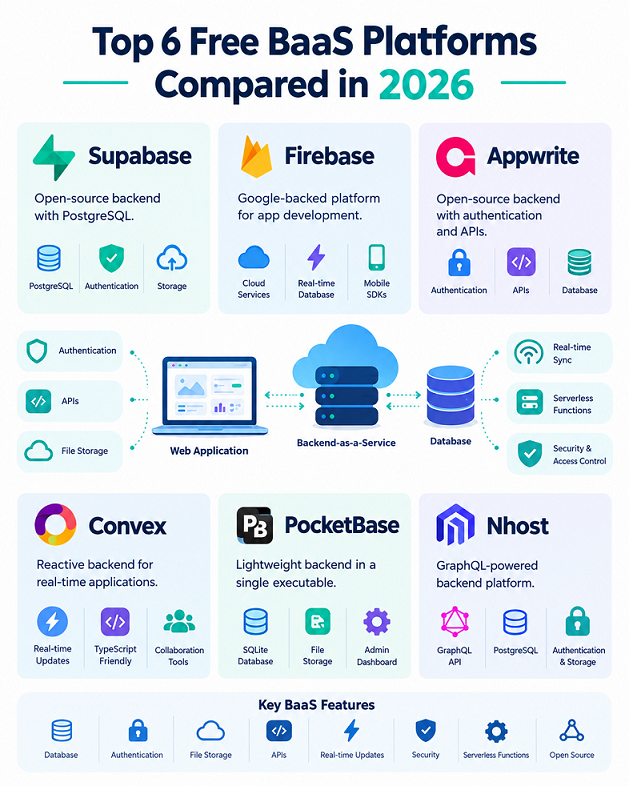
The following six platforms are strong candidates for developers building web applications on a budget in 2026. They are not interchangeable products, and the order below is intended as a practical shortlist rather than a universal performance ranking. Each one has a different balance of convenience, flexibility, and operational responsibility.
1. Supabase — Best Overall for SQL-Based Web Apps
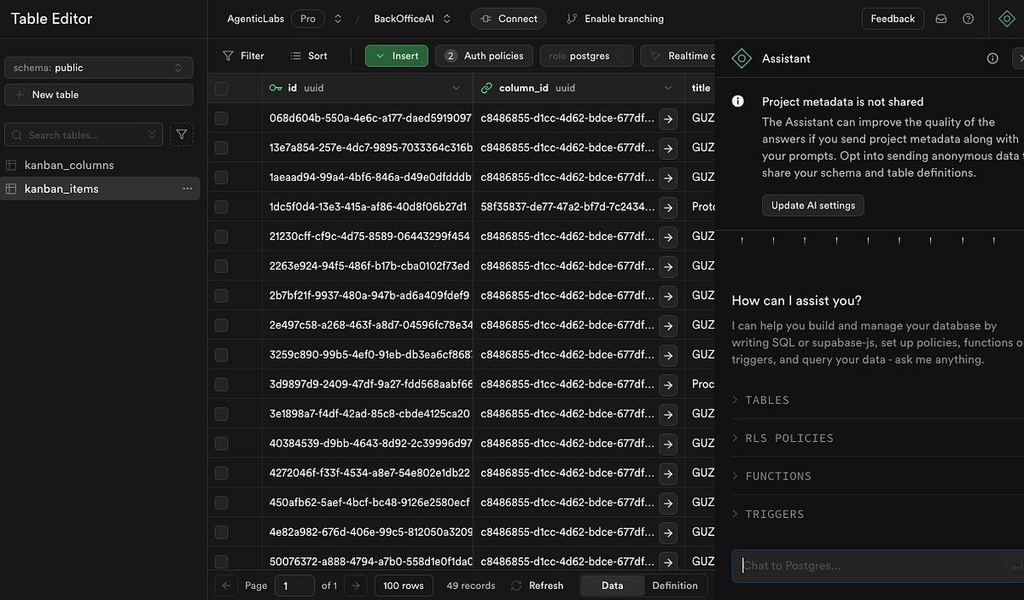
Supabase is a popular choice for developers who want a managed backend built around PostgreSQL. It combines a relational database with authentication, file storage, real-time functionality, and Edge Functions. Its APIs and client libraries make it straightforward to connect a frontend to backend services without building a complete custom API layer for every feature. Developers familiar with SQL can use familiar database concepts while benefiting from an integrated development dashboard.
One of Supabase’s biggest advantages is that PostgreSQL is a mature relational database. You can model relationships, write SQL queries, use transactions, and take advantage of database constraints to protect data integrity. This makes Supabase particularly attractive for SaaS products, booking applications, inventory tools, membership websites, and marketplaces. Row Level Security (RLS) is especially useful because it lets you define database policies that restrict which records different users can access. When configured correctly, these policies provide an important layer of protection beyond frontend logic.
The free plan listed on Supabase’s official pricing page includes 500 MB of database storage, 1 GB of file storage, 50,000 monthly active users, and 5 GB of egress, alongside other quotas. It also allows two active free projects, and free projects may be paused after seven days of inactivity. These limits are suitable for experimentation, prototypes, and many small projects, but they should not be mistaken for unlimited production infrastructure.
Supabase is especially suitable if you want to learn SQL while developing a real application. Its open-source components and PostgreSQL foundation also provide more flexibility than a backend tied entirely to a proprietary database format. The trade-off is that developers must understand database relationships, permissions, indexing, and query performance to use it well. Supabase simplifies backend infrastructure, but it doesn’t remove the need for thoughtful database design.
Best for: SaaS applications, dashboards, marketplaces, membership platforms, and projects that benefit from PostgreSQL.
Main limitation: Free projects can pause after inactivity, and storage or bandwidth limits may require an upgrade as the application grows.
Official website: https://supabase.com
2. Firebase — Best for Real-Time and Google Ecosystem Integration
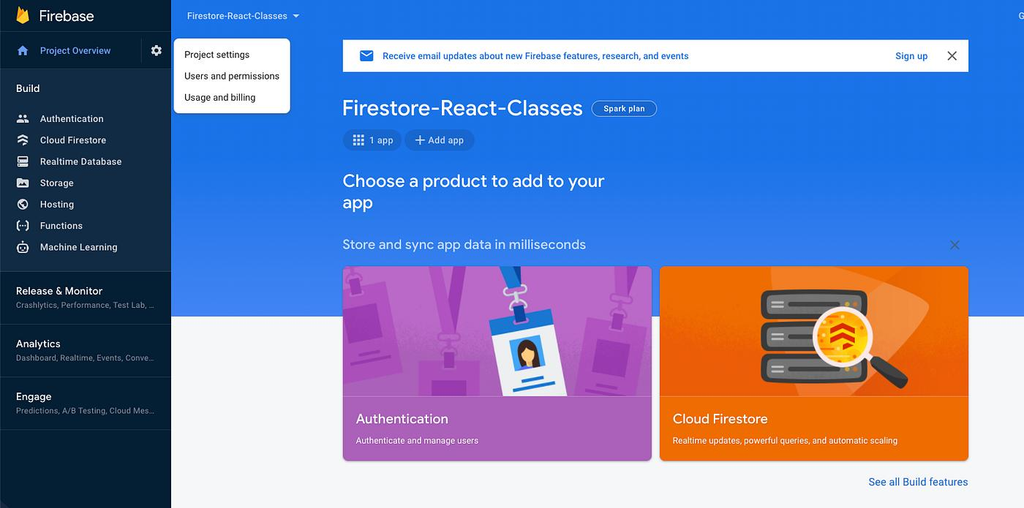
Firebase is Google’s application development platform, offering a collection of backend services that work particularly well for mobile applications and real-time web experiences. Its services include Cloud Firestore, Firebase Authentication, hosting, analytics integrations, and Cloud Functions through the appropriate billing plan. Rather than requiring developers to manage a traditional database server, Firebase provides managed infrastructure and SDKs that simplify application development.
Firestore uses a document-oriented data model. Instead of organizing every record into relational tables, you work with collections and documents that can contain structured fields. This approach can be convenient for messaging applications, collaborative features, user profiles, activity feeds, and applications where the data model changes frequently. Firebase also offers real-time listeners and offline capabilities in supported SDKs, making it appealing for applications that must respond quickly to changes or provide a smooth mobile experience.
Firebase’s Spark plan offers a no-cost starting point, but developers must pay close attention to which services are included. Usage limits differ across products, and some features require the pay-as-you-go Blaze plan. Firebase’s official documentation should be your source of truth for current service availability, quotas, and billing conditions. This distinction matters because a free authentication setup does not necessarily mean that every database, storage, or server-side operation in your application will also remain free.
The biggest advantage of Firebase is its ecosystem. If you’re already using Google’s development tools, analytics services, or mobile SDKs, the integration can save significant time. The main drawback is that costs and query design can become more complicated as usage increases. Firestore charges can depend on reads, writes, deletes, storage, and network usage, so an inefficient query pattern may become expensive when repeated at scale. Its document model also requires a different approach from traditional SQL databases.
Best for: Real-time applications, mobile-first products, chat systems, and developers who want deep integration with Google’s ecosystem.
Main limitation: Usage-based billing and document-database design require careful planning, and certain services are unavailable on the free plan.
Official website: https://firebase.google.com
3. App write — Best Open-Source All-in-One Backend
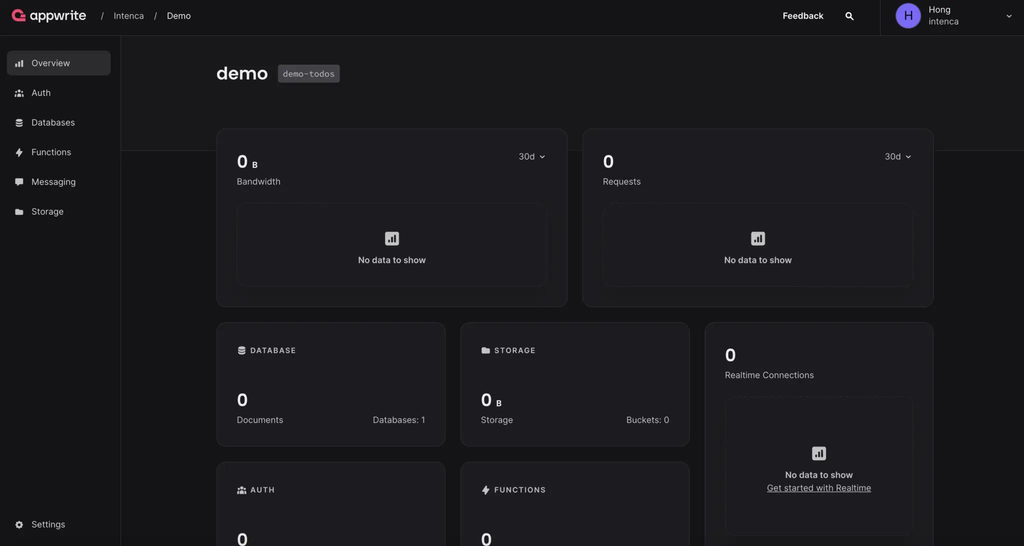
App write is an open-source backend platform designed to bring common application services together in one environment. It offers authentication, databases, storage, functions, and other capabilities through an integrated interface and developer SDKs. You can use its managed cloud service or explore self-hosting, which is attractive if you want greater control over deployment and infrastructure.
App write works well for developers who prefer a unified development experience. Instead of assembling several unrelated services, you can manage many backend tasks through one project dashboard. Its SDK support helps frontend developers connect applications written with popular web technologies, while its permission system allows access to be configured around users, teams, and resources. For a small product team, having these services together can simplify development and reduce the amount of custom backend code required.
App write is particularly interesting when open-source flexibility matters. Self-hosting gives you the option to run the backend on infrastructure you control, subject to the platform’s deployment requirements and operational needs. However, self-hosting is not automatically cheaper or easier. You must consider server costs, updates, monitoring, backups, security patches, and recovery procedures. A managed free plan and a self-hosted installation shift different responsibilities to the developer, so compare the total effort rather than looking only at subscription prices.
The App write cloud free tier and its quotas should be checked against the current official plan details before you commit. Recent comparisons identify project limits, monthly active users, storage, bandwidth, and function executions as important factors to evaluate. Pay special attention to inactivity policies if you’re using the service to host a public demonstration or a project that receives traffic only occasionally.
Best for: Full-stack web applications, open-source projects, prototypes, and developers who value the option to self-host.
Main limitation: Self-hosting requires operational expertise, while managed cloud usage remains subject to plan-specific limits.
Official website: https://appwrite.io
4. Convex — Best for Reactive, Real-Time TypeScript Applications
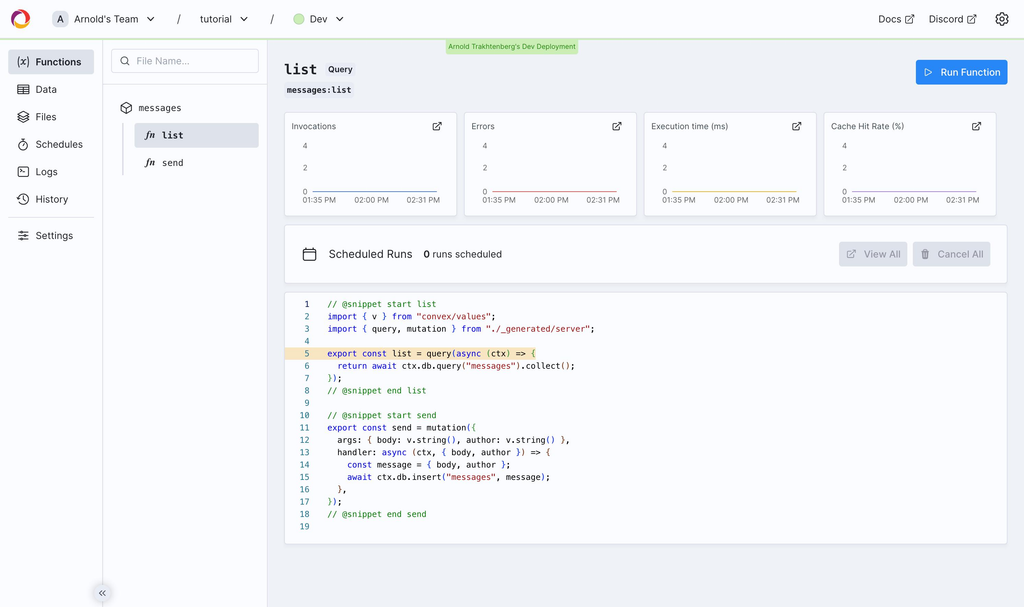
Convex takes a different approach to backend development by combining a database with server-side functions and reactive data synchronization. It is designed for applications where the interface should stay up to date as underlying information changes. Rather than treating every database interaction as a separate request that you manually coordinate, Convex provides a programming model built around queries, mutations, actions, and reactive updates.
This approach can be useful for collaborative tools, project management applications, chat interfaces, shared workspace, and live dashboards. Imagine a team working together on a task board: when one person updates a task, other connected users should see the change without repeatedly refreshing the page. Convex’s reactive model helps simplify this type of behavior, while its TypeScript-oriented workflow can make it appealing to developers who want to define application logic in a consistent language across the frontend and backend.
For teams already using TypeScript, the development experience can be a major advantage. The platform’s function-based architecture encourages developers to place data access and application rules in defined backend operations rather than scattering logic throughout the browser. Nevertheless, you should understand its database model and deployment constraints before choosing it for a project with complex relational queries or strong SQL requirements. Convex is not simply a drop-in replacement for PostgreSQL; it has its own way of organizing data and building reactive applications.
Convex offers a free plan, but quotas and the transition to paid usage should be checked on its official pricing page. A recent 2026 comparison lists the Professional plan at $25 per developer per month, illustrating why team size can be an important part of the cost calculation. The most sensible approach is to test the free tier with realistic data and usage patterns, then estimate the cost of running the application with your expected number of developers and users.
Best for: TypeScript developers, collaborative web apps, real-time dashboards, and interactive products.
Main limitation: Its programming and data model differ from traditional SQL backends, and paid costs can grow with team size.
Official website: https://convex.dev
5. PocketBase — Best Lightweight Self-Hosted Option
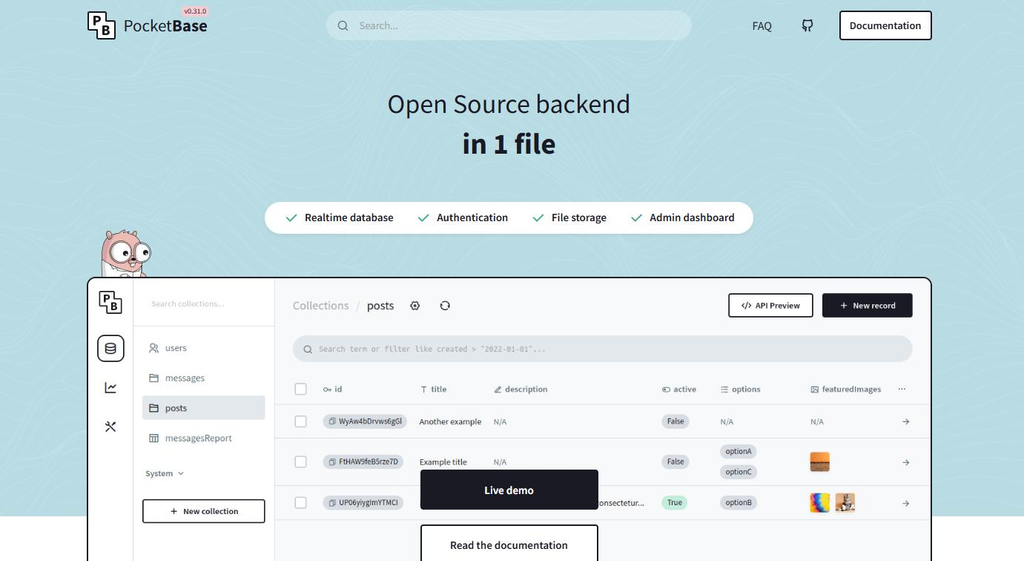
PocketBase is a lightweight, open-source backend that packages several useful features into a compact application. It includes a SQLite database, authentication, file storage, an administrative dashboard, and real-time subscriptions. Instead of signing up for a managed cloud free tier, you download and run PocketBase on a server you control.
This makes PocketBase appealing for personal projects, prototypes, internal tools, and small web applications. You can get a functional backend running without assembling a large collection of services or paying a BaaS subscription. Its built-in administration interface also makes it easier to inspect records and manage collections during development. For a solo developer building a straightforward web app, this simplicity can be more valuable than an extensive enterprise feature set.
The word free, however, has a different meaning here. PocketBase is free software, but hosting it on a public server may still cost money. You also take responsibility for protecting the server, maintaining the software, configuring HTTPS, setting up backups, and monitoring availability. If your database contains important customer records, you need a tested recovery plan rather than simply assuming that a server’s disk will remain reliable.
PocketBase’s single-server architecture also deserves attention. It can be an excellent fit for small applications, but applications requiring complex horizontal scaling, high availability across multiple nodes, or demanding distributed workloads may need a different design. Before deploying it for a business-critical product, check the project’s current documentation and recommendations for production use.
Best for: Side projects, small websites, internal tools, and developers comfortable managing their own server.
Main limitation: Hosting, maintenance, backups, and scaling are your responsibility; there is no equivalent vendor-managed cloud free tier built into the project.
Official website: https://pocketbase.io
6. Nhost — Best for GraphQL-First Applications
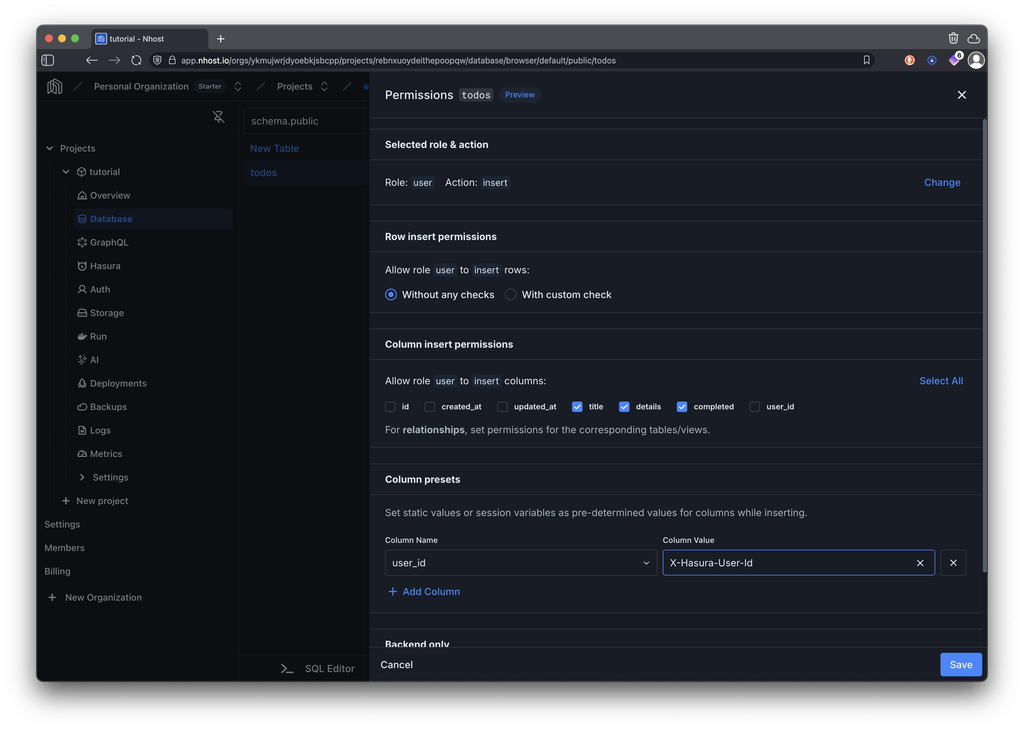
Nhost is another option for developers who want a managed backend built around PostgreSQL, authentication, file storage, and server-side functions. A key part of its approach is GraphQL, which allows clients to request the data fields they need through a structured API. For teams that already use GraphQL, this can provide a natural way to connect frontend components with backend data.
GraphQL can be especially useful when a web application contains complex screens that combine information from several related entities. Rather than building separate REST endpoints for every combination of data, developers can define queries that request the necessary fields. When combined with a relational database, this can support structured applications with clear data relationships. Nhost’s integrated services also help reduce the need to assemble authentication, storage, and backend functions independently.
However, GraphQL is not automatically the best choice for every project. Teams unfamiliar with its schema design, permissions, query performance, and tooling may need time to learn the workflow. You should also investigate how the platform handles complex queries, resource limits, and production monitoring before committing to it. A familiar REST-based approach may be simpler for a small application that only needs a few straightforward endpoints.
Nhost offers a free starting tier, but developers should review its current project, compute, storage, and inactivity limits before launching. Published comparisons have identified PostgreSQL capacity and the possibility of free projects pausing as factors worth checking. If your team prefers GraphQL and wants a managed PostgreSQL backend, Nhost deserves a practical trial alongside Supabase.
Best for: GraphQL-first applications, relational data models, and teams that want integrated backend services.
Main limitation: The GraphQL-focused workflow may introduce unnecessary complexity for developers who prefer simple REST APIs or direct SQL access.
Official website: https://nhost.io
Free BaaS Comparison Table
Choosing between these platforms becomes easier when you compare their database models, hosting approaches, and strengths side by side. The table below focuses on practical differences rather than claiming that one provider wins every category.
| Platform | Database approach | Free option | Main strength | Best suited for |
|---|---|---|---|---|
| Supabase | PostgreSQL | Yes | SQL, authentication, storage, and APIs | SaaS and business apps |
| Firebase | NoSQL Firestore and other services | Yes, Spark plan | Real-time features and Google integrations | Mobile and interactive apps |
| Appwrite | Appwrite-managed database services | Yes | Integrated open-source backend | General web apps |
| Convex | Reactive document-oriented data model | Yes | Real-time TypeScript development | Collaborative applications |
| PocketBase | SQLite | Free software; self-hosted | Lightweight, straightforward setup | Small apps and prototypes |
| Nhost | PostgreSQL with GraphQL | Yes | GraphQL-based backend development | GraphQL-first apps |
Comparison reflects platform capabilities and publicly described free options available in 2026. Exact quotas, billing requirements, and included features vary by provider and can change. Verify current details on the Supabase pricing page, Firebase pricing page, App write pricing page, Convex pricing page, and Nhost pricing page.
One important distinction is that PocketBase does not provide the same vendor-managed cloud experience as the other platforms in this comparison. Its software is free, but the infrastructure and operational work belong to you. Conversely, managed services can help you get started quickly, although their free tiers usually have resource limits or feature restrictions.
Which BaaS Is Best for Different Web Applications?
The best choice becomes much clearer when you start with the application you intend to build. Instead of comparing feature lists endlessly, identify the backend capabilities your project genuinely needs. For example, a blog with an administrator login doesn’t necessarily need reactive queries, while a collaborative workspace might benefit significantly from them. A good match reduces unnecessary complexity and helps you make better use of the free tier.
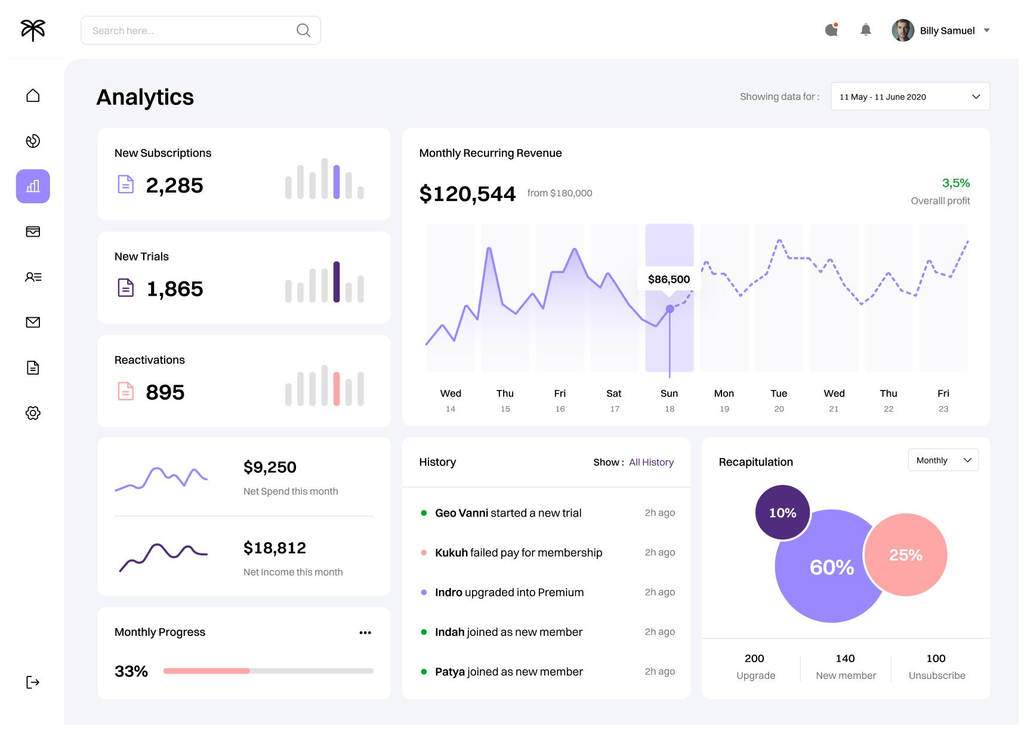
For SaaS applications and business dashboards: Supabase
PostgreSQL is a strong fit for applications involving customers, subscriptions, invoices, permissions, and related records. SQL queries and database constraints can help maintain data consistency, while authentication and storage reduce the need to assemble multiple backend services.
For real-time and mobile-first applications: Firebase
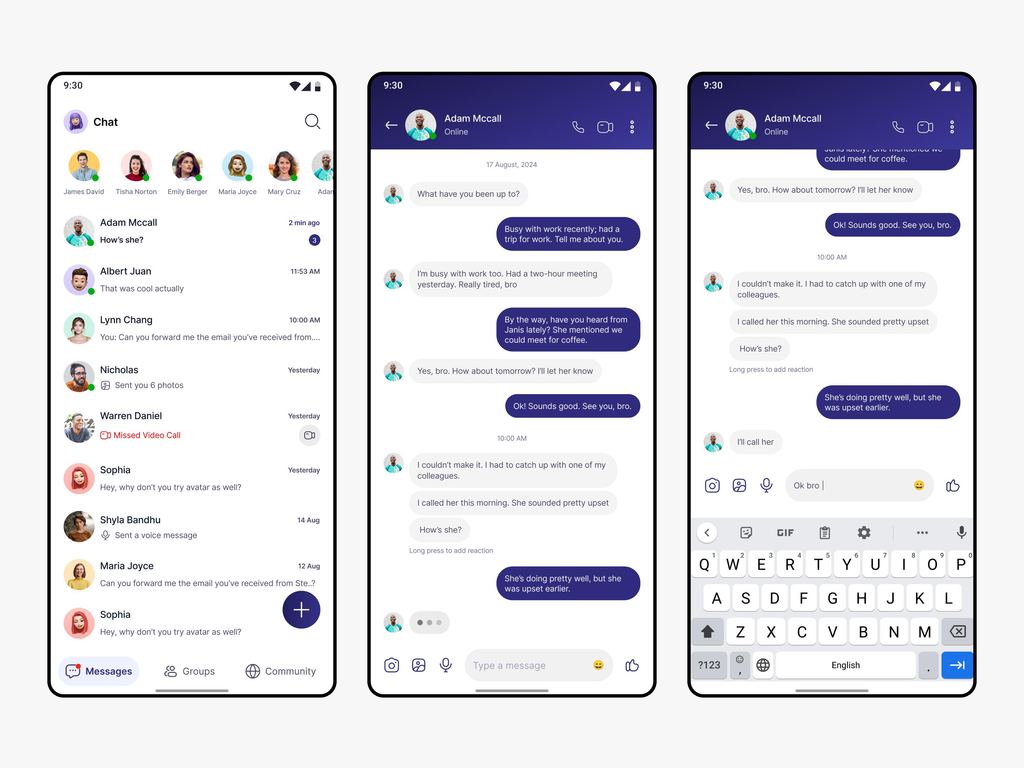
Firebase is worth considering when real-time synchronization, mobile SDKs, offline capabilities, and Google ecosystem integration are central to the product. Estimate usage carefully and confirm whether the services you need are included in the free Spark plan.

For open-source projects: App write
App write offers an integrated set of backend services and a self-hosting option. It’s a practical candidate if you want a unified development experience and the possibility of controlling your own infrastructure later.
For collaborative tools: Convex
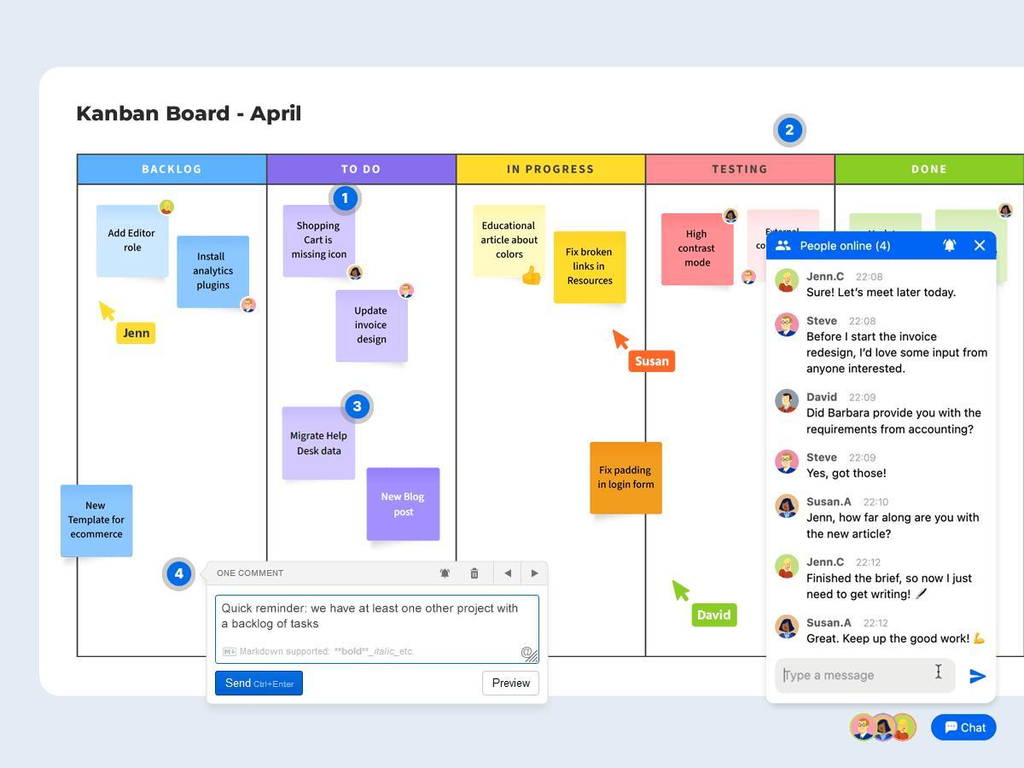
Reactive queries and real-time synchronization make Convex appealing for shared task boards, live dashboards, and interactive workspace. It is particularly attractive when the development team already works comfortably with TypeScript.

For lightweight personal projects: PocketBase
If you are comfortable managing a server and want a compact backend without a managed-service subscription, PocketBase is a strong candidate. It works especially well when a simple deployment and a small application footprint are priorities.
For GraphQL-first development: Nhost
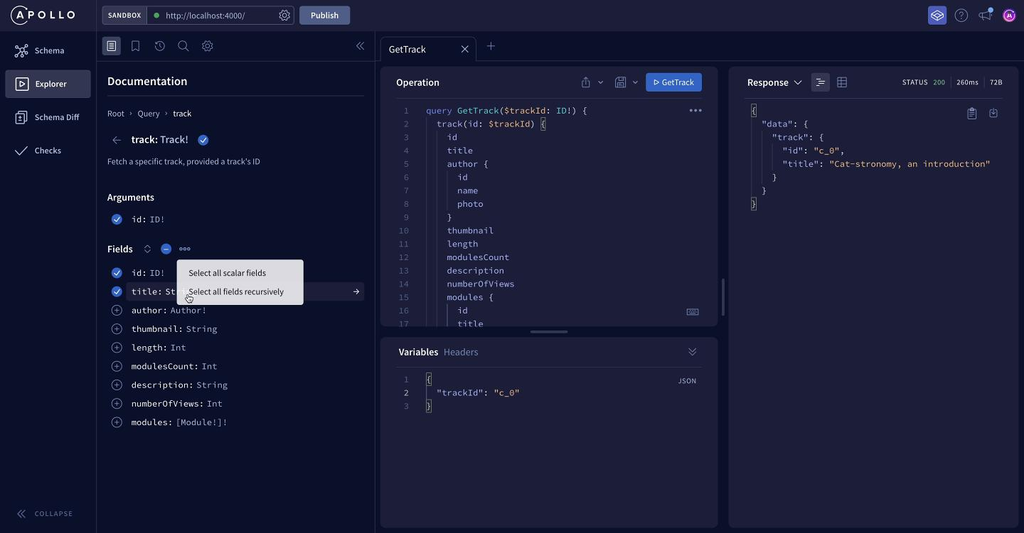
Nhost deserves consideration if your team prefers GraphQL APIs and wants PostgreSQL, authentication, and storage integrated into the backend workflow.
These recommendations are starting points, not strict rules. You can build a real-time feature with Supabase or create a straightforward web application with Firebase. The question is whether the platform’s core design makes your most important features easier to implement and maintain.
Common Mistakes to Avoid When Choosing a BaaS
One of the biggest mistakes is selecting a backend purely because its free tier advertises a large number of users or requests. Those numbers may not reflect your actual workload. An application with a small number of users who upload large files could consume more bandwidth than a text-based application with many occasional visitors. Similarly, a dashboard that repeatedly fetches the same information can generate unnecessary database operations. Evaluate expected storage, request patterns, and data transfer instead of relying on a single headline limit.
Another common mistake is ignoring security until the application is nearly finished. Authentication establishes who a user is, but authorization determines what that user is allowed to do. A properly authenticated user should not automatically be able to read another customer’s invoices, modify administrator settings, or retrieve private files. Use server-side validation, carefully designed access policies, and appropriate permission checks. Never expose privileged service-role credentials or private API secrets in browser-delivered code, and avoid assuming that a difficult-to-guess URL makes private information secure.
Developers also underestimate migration costs. A prototype can make almost any database feel convenient, but changing platforms becomes more complicated once you depend on proprietary query behavior, authentication flows, storage APIs, and server less functions. Before committing, investigate whether you can export your records, preserve file metadata, migrate user accounts, and reproduce your authorization rules elsewhere. You don’t have to design a perfect migration strategy for a weekend project, but a production application deserves an exit plan.
Finally, don’t mistake a free plan for a complete production-readiness guarantee. A platform can be reliable and still impose limits that make it unsuitable for your workload. Review backup options, recovery procedures, monitoring, support, service availability, and data-retention policies. If you’re building a business application, also consider privacy regulations, contractual obligations, and where customer data is stored. The cheapest backend is not the cheapest choice if an outage, unexpected bill, or preventable data leak creates a much larger problem.
How to Get Started With a Free BaaS
The easiest way to evaluate a backend is to build a small but realistic application rather than relying only on documentation and marketing pages. Choose a simple project such as a task manager, notes application, or customer dashboard. It should include at least one authenticated user, a database record, and a permission rule. If your real application needs file uploads or real-time updates, include one of those features in the test as well.
Start by creating a project on your preferred platform and following its official setup instructions. Connect a minimal frontend using the recommended SDK, then create the database structure and authentication flow. Store only the test data you need, and configure access rules before connecting real users. For platforms such as Supabase, pay particular attention to PostgreSQL policies and whether each table exposed to the client has the intended permissions. For Firebase, review security rules and determine which services require a billing upgrade.
Next, test realistic usage. Create multiple user accounts and verify that one account cannot access another account’s private records. Try invalid inputs, expired sessions, missing permissions, and large requests. If your app relies on real-time updates, open it in two browser sessions and check that changes synchronize correctly. Measure the database operations and file transfers generated by ordinary actions so you can estimate how the application might behave as usage grows.
Before launch, review the provider’s current quotas and billing settings. Set appropriate alerts or budget controls where available, and understand which services may continue charging when your usage increases. Configure backups or exports according to your recovery needs, and avoid putting sensitive information into logs unnecessarily. Once the application works reliably, document the setup, environment variables, deployment process, and recovery procedure. This small amount of preparation can save significant time when you revisit the project months later.
A practical selection process is to shortlist two platforms, implement the same core feature in each, and compare development time, security controls, query simplicity, deployment experience, and expected costs. That experiment is often more useful than spending days reading rankings. Your ideal backend should help you ship a useful application today while leaving you with a manageable path forward.
Conclusion
The best free Backend-as-a-Service option for web apps in 2026 depends on your project’s requirements, not simply the size of the free tier. Supabase is an excellent starting point for developers who want PostgreSQL, SQL queries, authentication, and a flexible foundation for business applications. Firebase is a strong candidate for real-time experiences and mobile-first development, while App write offers an integrated open-source backend with a self-hosting option. Convex stands out for reactive TypeScript applications, PocketBase is attractive for lightweight self-hosted projects, and Nhost is worth exploring for GraphQL-focused development.
Before making your decision, evaluate the database model, authentication and authorization features, free-tier restrictions, upgrade costs, and migration options. Build a small proof of concept, test the security rules, and estimate the cost of realistic usage rather than assuming that a free plan will always be sufficient. If you are developing your first application, start with the platform that feels most natural for your workflow and provides the backend features you actually need.
Most importantly, don’t let backend infrastructure slow down your product development. A well-chosen BaaS can help you launch faster, validate your idea, and focus your energy on delivering a better user experience. Start small, monitor usage, and upgrade or migrate when your application’s needs justify it.
Frequently Asked Questions
1. What is the best free BaaS for web apps in 2026?
Supabase is a strong all-around choice for web applications that benefit from PostgreSQL, authentication, storage, and APIs. Firebase is particularly appealing for real-time and mobile-oriented applications, while App write offers an integrated open-source alternative. The right choice depends on your database requirements, development experience, and the limits of each provider’s free plan.
2. Is Supabase completely free to use?
Supabase offers a free plan with defined database, storage, bandwidth, and user allowances. Its published free tier includes 500 MB of database storage, 1 GB of file storage, and 50,000 monthly active users, among other limits. Free projects may be paused after seven days of inactivity, so review the official Supabase pricing page before using it for a public-facing application.
3. Is Firebase better than Supabase?
Neither is universally better. Firebase is a good fit for applications that benefit from its mobile SDKs, document database, and real-time capabilities. Supabase is often more suitable when you want PostgreSQL, relational queries, SQL tooling, and database-level access policies. Compare the data model, pricing structure, and features your application needs before choosing.
4. Can I use a free BaaS for a production application?
Yes, a free BaaS can support some small production applications, provided its limits, security controls, and operational capabilities meet your requirements. You should verify backup options, access policies, service availability, and data protection requirements before launch. If your application handles payments, sensitive customer information, or business-critical workloads, evaluate whether the free tier provides adequate safeguards and support.
5. Which free BaaS is best for beginners?
Supabase and Firebase are both reasonable starting points. Supabase is especially useful if you want to learn SQL and relational database design, while Firebase can be convenient if you prefer its SDK-driven workflow and document-oriented database. PocketBase is another accessible option for learning backend concepts, provided you’re comfortable setting up and maintaining a server.
