







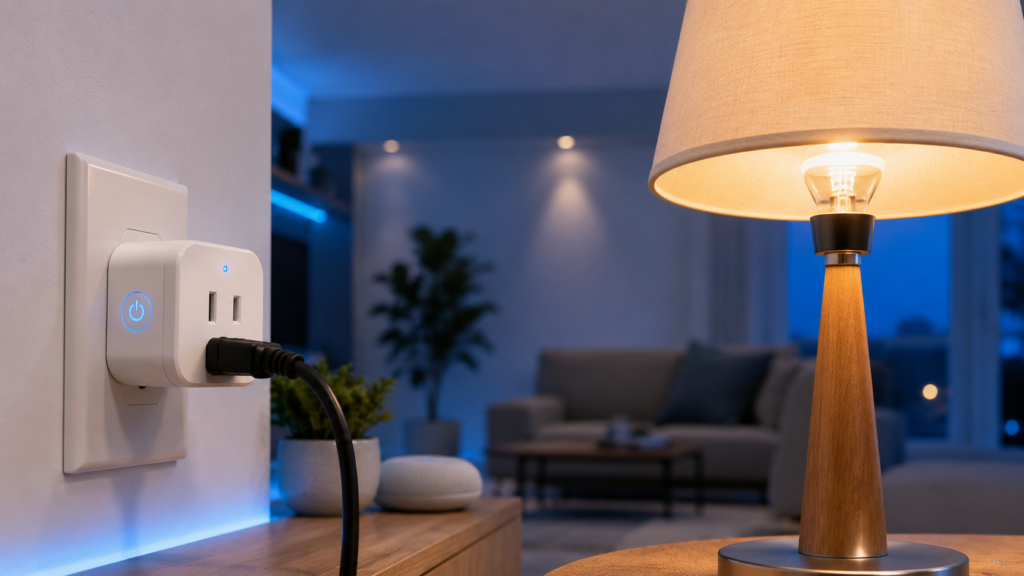
The article will incorporate current troubleshooting guidance such as checking for loose bulb connections, incompatible dimmer switches, unstable voltage, firmware updates, Wi-Fi connectivity issues, and smart plug compatibility based on recent manufacturer guidance and smart home support resources.
When to Call an Electrician
If you have worked through all the basic troubleshooting steps and the light bulb still flickers, the issue may extend beyond the smart plug itself. Electrical problems hidden inside your home’s wiring can produce symptoms that look identical to smart plug compatibility issues. Ignoring these warning signs can lead to more than an annoying flicker—it may indicate loose electrical connections, overloaded circuits, or deteriorating wiring that deserves professional attention.
Pay close attention to whether multiple lights flicker at the same time. If lights in different rooms dim simultaneously whenever your refrigerator, air conditioner, microwave, or washing machine starts, your electrical system may be experiencing voltage drops. Likewise, if you notice buzzing outlets, warm wall sockets, frequent circuit breaker trips, or the smell of burning plastic, stop using the affected outlet immediately.
A licensed electrician can perform voltage measurements, inspect the circuit, tighten loose wiring, and identify overloaded electrical panels. While replacing a smart plug costs relatively little, repairing unsafe wiring protects both your smart devices and your home. Think of the electrician as solving the problem at its source rather than treating only the symptoms.
Reduce Electrical Interference
Modern homes contain dozens of electronic devices operating simultaneously. Wi-Fi routers, cordless phones, microwave ovens, Bluetooth devices, and even large appliances generate electromagnetic interference that can occasionally affect smart home products.
Although interference rarely causes constant flickering, it can create communication issues that lead to repeated reconnections. Some smart plugs briefly interrupt power during these reconnect events, causing connected LED bulbs to flash or blink.
To minimize interference:
- Keep the smart plug within a strong Wi-Fi coverage area. LED light flickering
- Avoid plugging it directly beside large power supplies or UPS units.
- Keep routers updated with the latest firmware. LED light bulb
- Reduce Wi-Fi congestion by using less crowded channels.
- If available, consider a mesh Wi-Fi system for larger homes.
Improving wireless reliability doesn’t just eliminate flickering—it also makes automations, voice commands, and scheduling more responsive.
Consider Smart Plug Load Limits
Every smart plug has a maximum electrical rating. Exceeding this rating can lead to unstable performance, overheating, or premature failure.
Although a single LED lamp consumes very little electricity, problems arise when several lamps or high-powered appliances are connected through extension cords or power strips attached to the smart plug.
The table below shows common load examples.
| Device | Typical Power Consumption |
| LED Bulb | 8–15 W |
| LED Floor Lamp | 15–30 W |
| Table Lamp | 10–20 W |
| Space Heater | 1,500 W |
| Coffee Maker | 900–1,500 W |
| Air Conditioner | 800–2,000 W |
Most consumer smart plugs are designed primarily for lighting and moderate household appliances. Always check the manufacturer’s maximum wattage and current rating before connecting heavy loads.
Even when the connected lamp uses minimal power, repeatedly operating a smart plug near its maximum capacity shortens its lifespan. Choosing a smart plug with a comfortable safety margin improves long-term reliability.
Replace a Faulty Smart Plug
Sometimes the simplest explanation is the correct one: the smart plug itself has failed.
Like any electronic device, smart plugs contain relays, circuit boards, capacitors, and wireless radios. Over time, these components can degrade due to heat, power surges, or manufacturing defects. Internal relay contacts may become worn, leading to inconsistent power delivery that appears as random flickering.
Signs of a failing smart plug include:
- The issue follows the smart plug regardless of which lamp is connected.
- Firmware updates and factory resets make no difference.
- The plug feels unusually warm during normal operation.
- The relay makes repeated clicking sounds.
- Other smart plugs function normally on the same outlet.
An easy way to confirm this is by borrowing another compatible smart plug. If the replacement works perfectly under identical conditions, you’ve identified the faulty device. In most cases, replacing the plug is more practical than attempting to repair it.
Prevent Future Flickering Problems
Preventing flickering is much easier than troubleshooting it after installation. Spending a little extra time choosing compatible hardware and maintaining your smart home system can eliminate many common issues before they begin.
Start by purchasing quality LED bulbs from reputable manufacturers. Premium bulbs generally include better driver electronics, resulting in more stable performance with smart home devices. Pair them with smart plugs from trusted brands that receive regular firmware updates and long-term software support.
Keep your Wi-Fi network healthy by updating your router, maintaining strong signal strength, and avoiding unnecessary interference. Install firmware updates whenever they become available for both your smart plugs and your smart home hub or app.
It’s also wise to inspect lamps periodically. Loose sockets, worn cords, and damaged plugs can introduce intermittent electrical connections that mimic software-related problems. A quick visual inspection every few months helps catch these issues early.
Finally, avoid overloading outlets or connecting multiple high-power appliances through a single smart plug. Using smart plugs within their intended specifications significantly improves reliability and extends their service life.
Conclusion
A flickering light bulb connected to a smart plug is usually the result of a compatibility issue, loose connection, outdated firmware, unstable electrical supply, or a defective device rather than a serious failure. By following a systematic troubleshooting process—checking the bulb, testing the lamp without the smart plug, verifying compatibility, updating firmware, improving Wi-Fi connectivity, and inspecting the electrical system—you can identify the root cause with confidence.
Most homeowners discover that the solution is surprisingly straightforward. Whether replacing an incompatible LED bulb, tightening a loose connection, or updating the smart plug’s firmware, these simple fixes restore stable lighting without requiring expensive repairs.
If every troubleshooting step has been exhausted and the flickering persists, consult a qualified electrician to ensure your home’s electrical system is operating safely. A reliable smart home begins with reliable electrical infrastructure.
Frequently Asked Questions
1. Why does my LED bulb flicker only when connected to a smart plug?
This usually indicates a compatibility issue between the LED driver’s electronics and the smart plug, a firmware problem, or a defective smart plug.
2. Can a smart plug damage a light bulb?
Under normal operating conditions, no. A properly functioning smart plug simply switches power on and off. However, defective hardware or severe voltage fluctuations can reduce bulb lifespan.
3. Should I use a dimmable LED bulb with a smart plug?
Only if the smart plug supports dimming. Standard on/off smart plugs work with both dimmable and non-dimmable bulbs, but dimmer smart plugs should only be paired with compatible dimmable LEDs.
4. Why does the flickering stop when I remove the smart plug?
This strongly suggests that the smart plug, its firmware, or compatibility with the bulb is responsible rather than the lamp itself.
5. Is occasional flickering dangerous?
Occasional flickering caused by compatibility issues is generally not hazardous. However, flickering accompanied by warm outlets, burning odors, buzzing sounds, or frequent breaker trips should be investigated immediately by a licensed electrician.


