

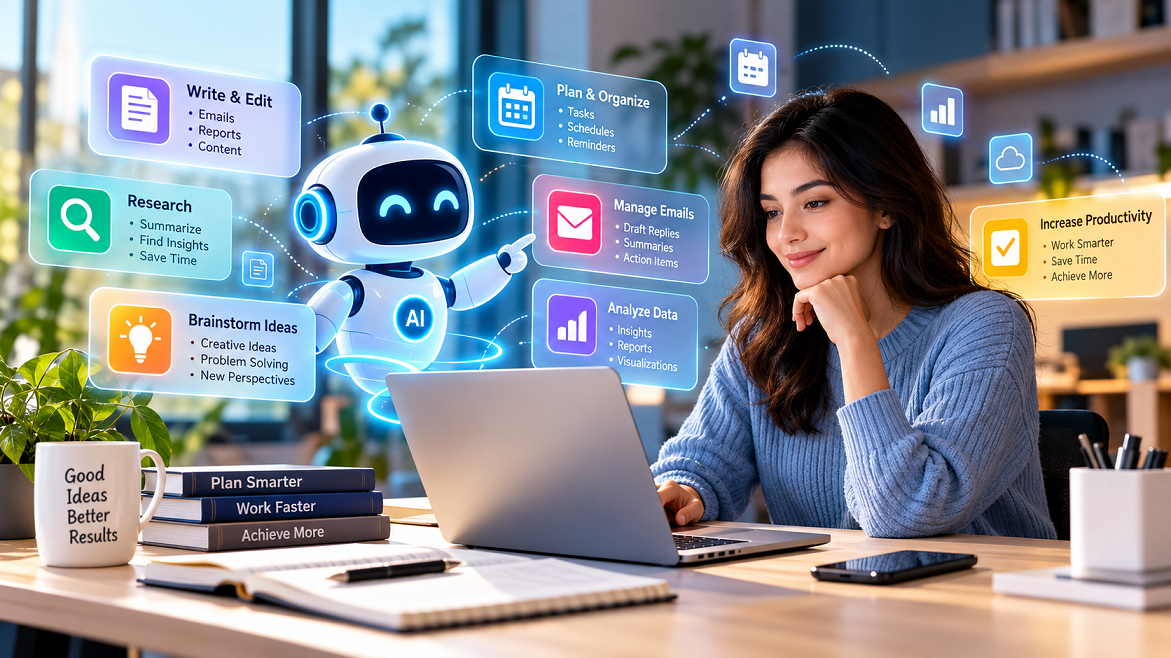
Personal productivity has traditionally depended on calendars, to-do lists, note-taking apps, spreadsheets, and careful time management. Today, AI assistants are changing that model by allowing people to interact with digital tools using natural language.
Instead of manually organizing information, users can ask an AI assistant to summarize documents, draft emails, prioritize tasks, brainstorm ideas, analyze data, create schedules, or turn rough notes into structured plans. Modern AI assistants are also becoming more deeply integrated into productivity platforms, allowing them to work with documents, email, calendars, spreadsheets, and other digital resources.
Microsoft Copilot, Google Gemini, and ChatGPT are examples of AI systems increasingly designed to support real-world productivity workflows. Microsoft describes Copilot as connecting AI with workplace content and applications, while Google has expanded Gemini’s ability to coordinate tasks across Workspace applications.
The important change is not simply that AI can “do things faster.” It is that productivity is moving from manually operating software toward describing an intended outcome and having AI help complete the steps required to achieve it.
What Are AI Assistants?
AI assistants are software systems that understand natural-language instructions and generate responses or perform supported actions.
Traditional productivity software generally requires users to understand the interface first. For example, creating a task might require opening an application, selecting a task function, entering a title, choosing a deadline, and saving it.
An AI assistant can simplify the interaction. A user might instead write:
“Create a task to review the marketing report tomorrow afternoon.”
Depending on the assistant and its available integrations, the system may be able to translate that instruction into a structured task.
Modern assistants can support activities such as:
- Writing and editing
- Research and summarization
- Task planning
- Calendar management
- Email drafting
- Data analysis
- Brainstorming
- Meeting preparation
- Document creation
- Information organization
- Repetitive workflow automation
OpenAI’s guidance, for example, describes a practical writing workflow involving planning, drafting, revising, and packaging content rather than treating AI output as automatically final.
How AI Assistants Are Changing Productivity
1. Reducing Time Spent on Routine Work
One of the clearest productivity benefits of AI assistants is reducing repetitive cognitive and administrative work.
Consider a freelancer who receives 30 emails during a working day. Instead of reading every message immediately and composing every response from scratch, an AI assistant can help summarize conversations, identify action items, and create draft responses.
The human still decides what should actually be sent, but much of the repetitive preparation can be accelerated.
This principle applies across many professions.
A marketer can use AI to organize campaign ideas. A student can turn lecture notes into revision questions. A business owner can summarize customer feedback. A developer can explain unfamiliar code or create an initial implementation.
The productivity improvement comes from reducing the amount of low-value manual work surrounding a task.
2. Turning Unstructured Information Into Actionable Tasks
People frequently collect information without immediately converting it into an action plan.
Meeting notes, emails, research documents, voice notes, and brainstorming sessions can contain valuable information but remain difficult to manage.
AI assistants can help transform this unstructured information into:
- Key points
- Action items
- Deadlines
- Priorities
- Summaries
- Checklists
- Follow-up questions
For example, after a project meeting, a user could provide the meeting notes and ask the assistant to identify decisions, unresolved issues, responsible team members, and next steps.
This reduces the distance between information and action.
3. Improving Writing Efficiency
Writing is another area where AI assistants can significantly change personal workflows.
An AI assistant can help create a first draft, restructure paragraphs, simplify technical language, change tone, summarize long material, or identify unclear sections.
The strongest workflow is generally collaborative rather than fully automated.
For example:
Human: Provides expertise, facts, objectives, and audience.
AI: Produces a draft or possible structure.
Human: Checks accuracy, context, originality, and tone.
AI: Helps revise and polish the material.
This approach keeps important judgment with the person while using AI to reduce mechanical effort.
4. Supporting Better Planning
AI assistants can also become planning partners.
Suppose someone needs to complete a website project in seven days. Instead of creating a plan manually, they could ask an AI assistant to divide the project into milestones.
A reasonable output might include:
- Define requirements
- Research competitors
- Create the site structure
- Develop core pages
- Test functionality
- Optimize content
- Review and launch
The user can then adjust the plan according to available time and priorities.
This makes AI particularly useful for breaking large objectives into smaller, manageable actions.
AI Assistants and Personalized Productivity
Personal productivity is rarely identical from one person to another.
A student may prioritize study sessions and deadlines. A freelancer may focus on client communication and project delivery. An executive may spend more time reviewing information and making decisions.
AI assistants can adapt their output based on instructions and available context.
For example, a user might establish a preference such as:
“When summarizing business reports, always give me the three most important findings, potential risks, and recommended questions.”
Over time, consistent instructions can make interactions more useful.
However, personalization should not be confused with perfect understanding. AI systems can misunderstand context, make incorrect assumptions, or produce inaccurate information. Human review remains particularly important for financial, legal, medical, professional, and other high-consequence decisions.
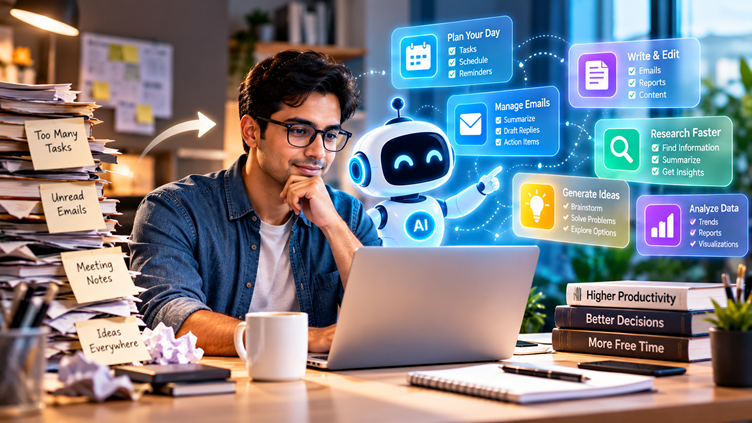
Real-World Applications
For Students
Students can use AI assistants to:
- Convert notes into study guides
- Generate practice questions
- Explain difficult concepts
- Create study schedules
- Summarize reading material
- Improve the structure of assignments
The assistant should support learning rather than replace it. Asking an AI to explain why an answer is correct can be more educational than simply requesting the answer.
For Professionals
Professionals can use AI to:
- Prepare meeting agendas
- Summarize documents
- Draft emails
- Organize projects
- Analyze spreadsheets
- Create presentation outlines
- Prepare research briefs
Microsoft’s current Copilot capabilities, for example, include working with documents, spreadsheets, presentations, workplace information, and multi-step tasks.
For Entrepreneurs and Freelancers
Small-business owners often have to manage many roles simultaneously.
AI assistants can help with:
- Content planning
- Customer communication
- Proposal drafts
- Market research
- Project organization
- Social media ideas
- Basic data analysis
- Meeting preparation
The benefit is not that AI replaces every business function. Instead, it can help one person handle a broader range of routine activities.
For Everyday Life
AI productivity is not limited to professional work.
People can use assistants to organize travel plans, create shopping lists, plan meals, structure personal projects, prepare questions for appointments, or build weekly routines.
The key is to use AI for organization while retaining personal control over important decisions.
The Importance of Human Oversight
AI assistants can increase productivity, but they also introduce new risks.
Accuracy
AI-generated information can contain errors. Important facts should be verified against reliable sources.
Privacy
Users should consider what information they provide to an AI system, particularly when dealing with confidential business information, personal data, financial records, or proprietary documents.
Enterprise AI platforms increasingly provide security and permission controls. Microsoft, for example, states that Copilot inherits Microsoft 365 permissions and organizational policies in supported environments.
Over-Automation
Not every task should be automated.
Creative decisions, sensitive communications, strategic choices, and situations requiring human empathy often benefit from direct human involvement.
Skill Atrophy
If people delegate every writing, research, planning, or analytical task to AI, they may become less practiced at those skills.
A better approach is to use AI as a productivity amplifier, not as a substitute for thinking.
How to Use AI Assistants Effectively
A practical AI productivity workflow can follow five steps:
1. Define the Goal
Tell the assistant what outcome you want.
2. Provide Context
Give it the relevant background, source material, audience, constraints, and requirements.
3. Specify the Format
Ask for a checklist, table, email, summary, plan, outline, or another appropriate format.
4. Review the Output
Check important facts, assumptions, calculations, and recommendations.
5. Take Human Action
Use the AI-generated result as an input to your decision-making rather than automatically accepting it.
For example, instead of asking:
“Make my entire weekly plan.”
A more useful instruction might be:
“Here are my five priorities, three deadlines, and available working hours. Organize them into a realistic weekly plan and identify conflicts I should resolve.”
The second approach gives the AI meaningful context while keeping the user involved in prioritization.
The Future of Personal Productivity
AI assistants are increasingly moving beyond simple question-and-answer systems.
Google announced new Workspace capabilities in September 2026 that allow Gemini to coordinate more complex tasks across applications such as Gmail, Drive, Docs, Slides, and Chat.
This points toward a broader productivity model in which users increasingly describe goals while AI handles portions of the underlying workflow.
For example, a future-oriented productivity interaction could look like:
“Prepare everything I need for tomorrow’s client meeting.”
The assistant could potentially identify the relevant emails, summarize previous discussions, organize documents, prepare an agenda, and create a briefing document—subject to the permissions and capabilities available in the user’s environment.
The human remains responsible for reviewing the information and deciding what to do next.
Conclusion
AI assistants are changing personal productivity by reducing repetitive work, organizing information, supporting writing, improving planning, and connecting previously separate digital workflows.
Their greatest value is not simply generating text or answering questions. It is helping people move from intention to execution with less administrative friction.
The most effective users will likely be those who combine AI capabilities with human judgment. Clear instructions, relevant context, careful verification, privacy awareness, and active decision-making remain essential.
AI can help people work faster, organize better, and explore ideas more efficiently. But productivity ultimately depends on knowing what matters, making good decisions, and taking meaningful action. AI assistants can support those activities—but the direction still comes from the person using them.
