




In an age where information, tasks, calendars, and ideas all live in the digital realm, staying organized isn’t just a convenience — it’s essential. By 2026, the right suite of apps can act as your digital command center, helping you manage tasks, notes, time, and focus across devices and contexts. Whether you’re a student, professional, entrepreneur, or lifelong learner, purpose-built digital tools help you reduce cognitive overload, track what matters, and free your attention for meaningful work. Here’s a well-rounded guide to the best organization apps shaping how people manage their digital lives this year.
Core Productivity Hubs: One Place for Everything
Notion — The All-In-One Workspace
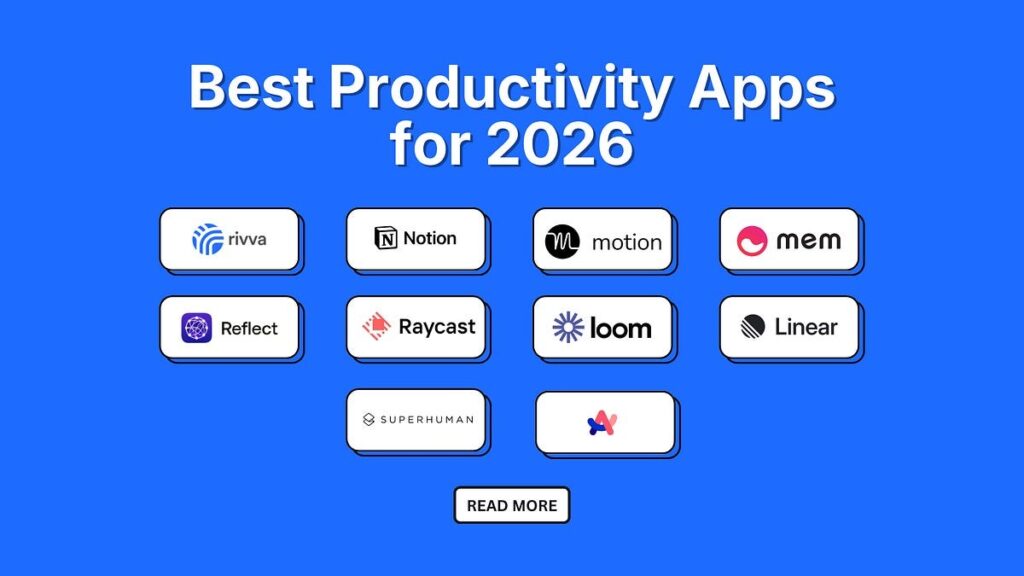
Notion has become a go-to hub for organizing tasks, notes, databases, calendars, and projects — all in one customizable platform. It’s ideal for anyone who wants a central home base for their digital life. Professionals use it for project management, students for class planning, and families for shared calendars and knowledge bases. Its strength lies in flexibility: build dashboards, linked databases, and templates that fit how you work.
Real-world example: Create a “Life Dashboard” with sections for weekly goals, habit tracking, meeting notes, and your finance tracker — all accessible on mobile and desktop.
Todoist — Task Management Done Right
If capturing and clearing tasks is your priority, Todoist remains one of the best choices around. It’s intuitive and powerful, with natural language task entry (e.g., “Submit report every Monday”) and priority tagging that keeps your to-dos organized and actionable. Integrations with calendars and email services help centralize your workflow.
Real-world application: Use Todoist boards to plan a product launch, with sections for planning, execution, and review, automatically synced to your calendar.
Task & Time Management Tools
Microsoft To Do — Simple & Seamless
Perfect for users in the Microsoft ecosystem, Microsoft To Do offers clean task lists and “My Day” planning features. It integrates deeply with Outlook and Teams, turning flagged emails into actionable tasks.
Practical tip: Use this to manage repetitive daily tasks like groceries, errands, and appointments without overcomplicating your workflow.
TickTick — Task Lists with Extras
TickTick adds habit tracking and Pomodoro timers to task management, helping you develop routines and manage attention. Its calendar view makes it easier to visualize upcoming commitments.
Example: Track professional tasks alongside personal goals (like fitness or language learning) in one shared list with GTD-style prioritization.
Clockify — Track & Optimize Your Time
Understanding how you spend your time is key to organizing it well. Clockify lets you track hours for projects and see where your attention goes, making time management tangible and data-driven.
Calendars & Daily Planning
Google Calendar — Schedule Without Chaos
One of the most widely used calendar apps globally, Google Calendar keeps events, reminders, and appointment schedules synchronized across devices. Add it to your stack to ensure time commitments are always front and center.
Practical approach: Combine color-coded calendars (work, personal, family) for clarity at a glance.
Sunsama & Motion — Daily Focus Planners
These apps help you move beyond simple scheduling by prompting you to time-block tasks into your calendar. This encourages mindful planning and shields focus blocks from distractions.
Use case: Prioritize deep work in your schedule, and reserve natural downtimes (evenings, weekends) for rest or personal tasks.
Notes, Knowledge & Creative Thinking
Evernote — Rich Note Management
A long-standing leader in note-taking, Evernote helps you capture ideas, articles, receipts, and reference material across devices. Its powerful search and tagging system makes retrieval effortless, and integrations with browsers turn research into organized knowledge.
Example: Save web clippings and meeting notes into topic-specific notebooks to support long-term projects like research or writing.
MindNode — Visual Idea Mapping
For thinkers who prefer visual structuring, MindNode turns thoughts into mind maps, helping you see relationships between ideas before forming execution plans.
Focus & Distraction Management
Forest & Focus Tools
Apps that protect focus — like productivity timers or blockers — give structure to your work sessions. Techniques like Pomodoro help break large projects into manageable bursts.
Tip: Use these tools during creative or deep focus sessions to minimize context switching and stay cognitively fresh.
Putting It All Together: Your Digital Productivity Stack
A balanced organization stack typically includes:
- A central hub (Notion or similar)
- Task manager (Todoist, Microsoft To Do, TickTick)
- Calendar and planner (Google Calendar, Sunsama)
- Notes and reference (Evernote)
- Focus tools (Pomodoro or distraction blockers)
This combination ensures you capture tasks, plan your time, record important information, and guard your attention — the pillars of a well-organized digital life.
Conclusion
Organizing your digital life in 2026 centers on clarity, integration, and consistent use of the right tools. Whether you’re streamlining tasks, journaling ideas, visualizing your schedule, or protecting focus, these apps provide expert-tested foundations for productivity. Choose tools that align with your workflow and commitment — even one or two well-integrated apps can transform chaos into clarity.


