

Remote work brings flexibility and productivity, but it also expands your digital footprint beyond the controlled perimeter of office environments. Without the right precautions, sensitive information — both personal and professional — can quickly become exposed to cyber-threats. Protecting remote work data isn’t just about tools; it’s about habits, awareness, and a layered defense strategy. Below is a comprehensive, practical guide to help you secure your data wherever you work.
Understanding the Remote Work Security Landscape
Working outside a secured corporate network changes your threat profile. Home routers, public Wi-Fi, personal devices, and cloud services all introduce risks that traditional office IT defenses don’t always address. Remote work security means safeguarding data and systems from unauthorized access, interception, or loss while maintaining productivity and collaboration.
Core Principles of Data Protection
Multi-Layered Authentication
Passwords alone are no longer sufficient. Implement multi-factor authentication (MFA) wherever possible. MFA requires a second form of verification — like a mobile app code or biometric scan — so that even if a password is compromised, access remains protected.
Example: Enabling MFA on your corporate email and cloud storage prevents attackers from signing in even if they obtain your password.
Secure Connections with VPNs
When connecting to the internet — especially outside the office — use a Virtual Private Network (VPN). A VPN encrypts your traffic so that sensitive data can’t be intercepted on unsecured networks like public Wi-Fi.
Real-World Use: If you’re working in a café and must access company systems, the VPN creates an encrypted tunnel between your device and your organization’s servers.
Device Protection and Encryption
Every device you use for work should be secured:
- Enable full-disk encryption so that data remains protected if a device is lost or stolen.
- Use strong, unique passwords and screen locks on all equipment.
- Keep operating systems and applications up to date to ensure security patches are applied.
Practical Tip: Turn on automatic updates for both the OS and productivity software to reduce the burden of manual patching.
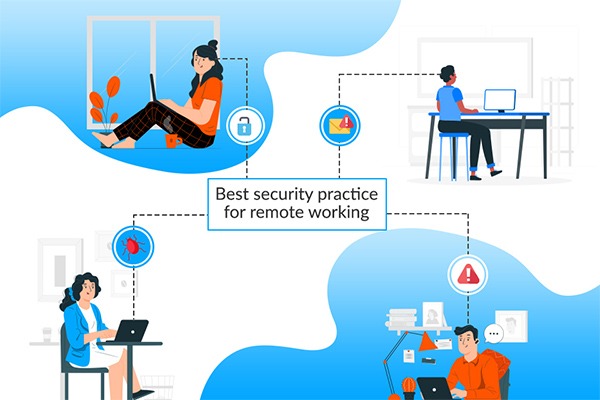
Network Safety: From Home to Public
Secure Home Wi-Fi
A home network is the first gateway for your work data. Configure your Wi-Fi with strong encryption (WPA2 or WPA3) and a unique router password. Avoid using default network names and passwords that are easy targets.
Avoid Untrusted Public Networks
Public Wi-Fi can be risky because attackers may intercept traffic on the same network. If you must connect, always do so through a VPN. Alternatively, use your mobile hotspot as a safer fallback.
Data Handling and Storage
Use Approved Communication Tools
Not all messaging or file-sharing apps offer the same level of encryption or control. Use the tools mandated by your organization — these are usually vetted for security and data protection.
Example: Workforce platforms like enterprise-level email, secure video conferencing, and encrypted chat systems help prevent unauthorized access to conversations and documents.
Limit Data Wherever Possible
Apply the principle of least privilege: only grant access to sensitive files to people who truly need it. Store sensitive data in secure systems or encrypted cloud storage rather than on local machines.
Human Factors in Cyber Defense
Spotting Phishing and Social Engineering
Remote workers are frequently targeted with deceptive emails and messages designed to steal credentials or deliver malware. Always verify unexpected requests and never click suspicious links. Regular phishing awareness training significantly reduces risk.
Example: If an email asks for your login credentials and you weren’t expecting it, confirm via another channel before responding.
Regular Security Awareness
Security is not static. Regular training on current threats, password hygiene, and device policies keeps security top-of-mind and improves overall data protection.
Company Policies That Support Remote Data Protection
Effective remote work data protection begins with clear policies. These should include acceptable device use, network security standards, password policies, and procedures to follow in case of a breach or lost device. Strong governance creates predictable behavior and reduces the likelihood of errors that lead to breaches.
Conclusion
Safeguarding your data while working remotely requires a thoughtful mix of technology, habits, and policies. By adopting strong authentication, secure networks, updated devices, and informed behavior, you can significantly reduce the risk of breaches and data loss. Remote work doesn’t have to be insecure — with consistent practice and awareness, it can be as safe as traditional office environments. Continuous vigilance, supported by organizational guidance and individual responsibility, is the key to resilient data protection in a distributed work world.
